

You can enable location tracking for staff clock-ins in RotaWiz by following these stepsAccess Company Settings
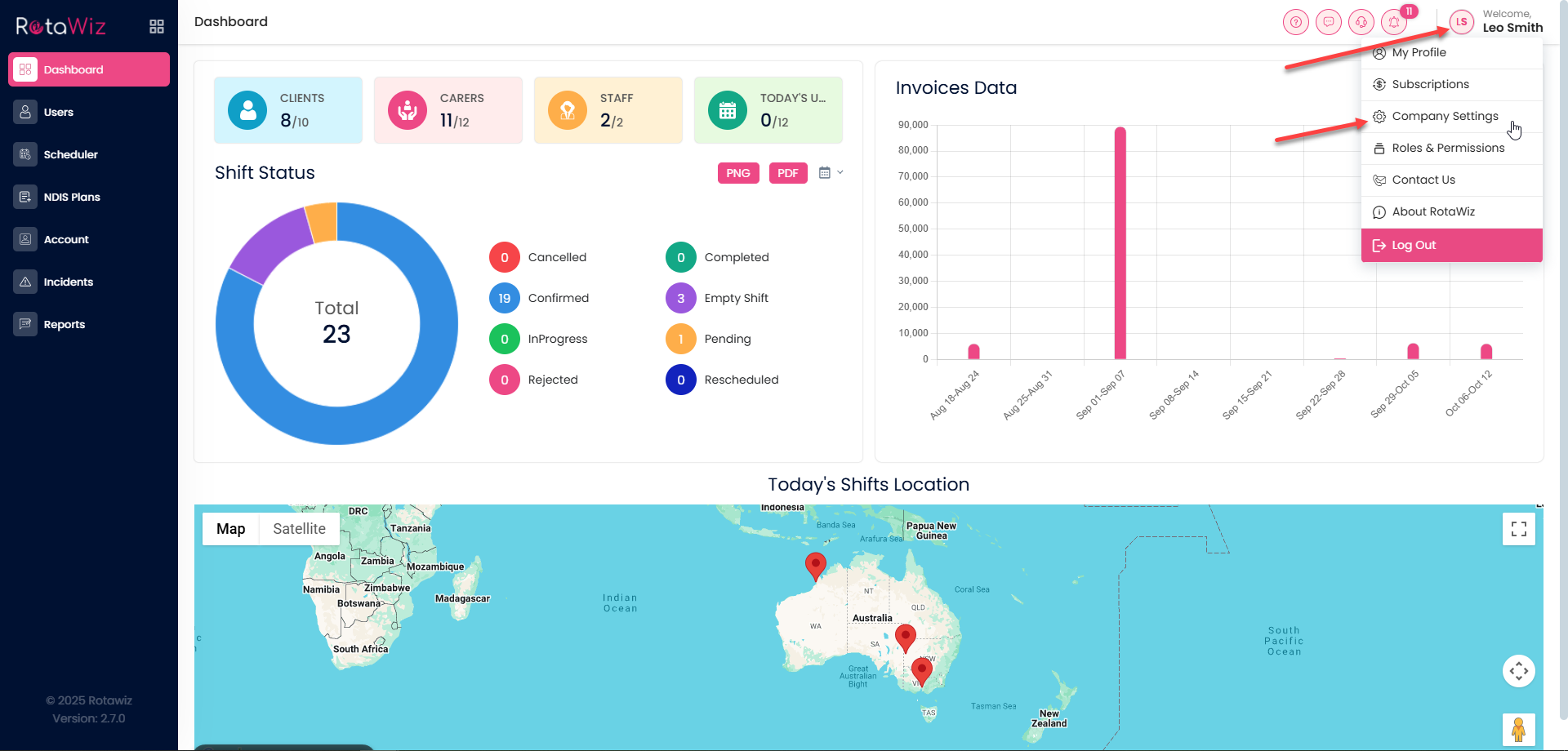
- Click your name in the top right-hand corner of the screen
- From the drop-down menu, select Company Setting
Open the Settings Tab
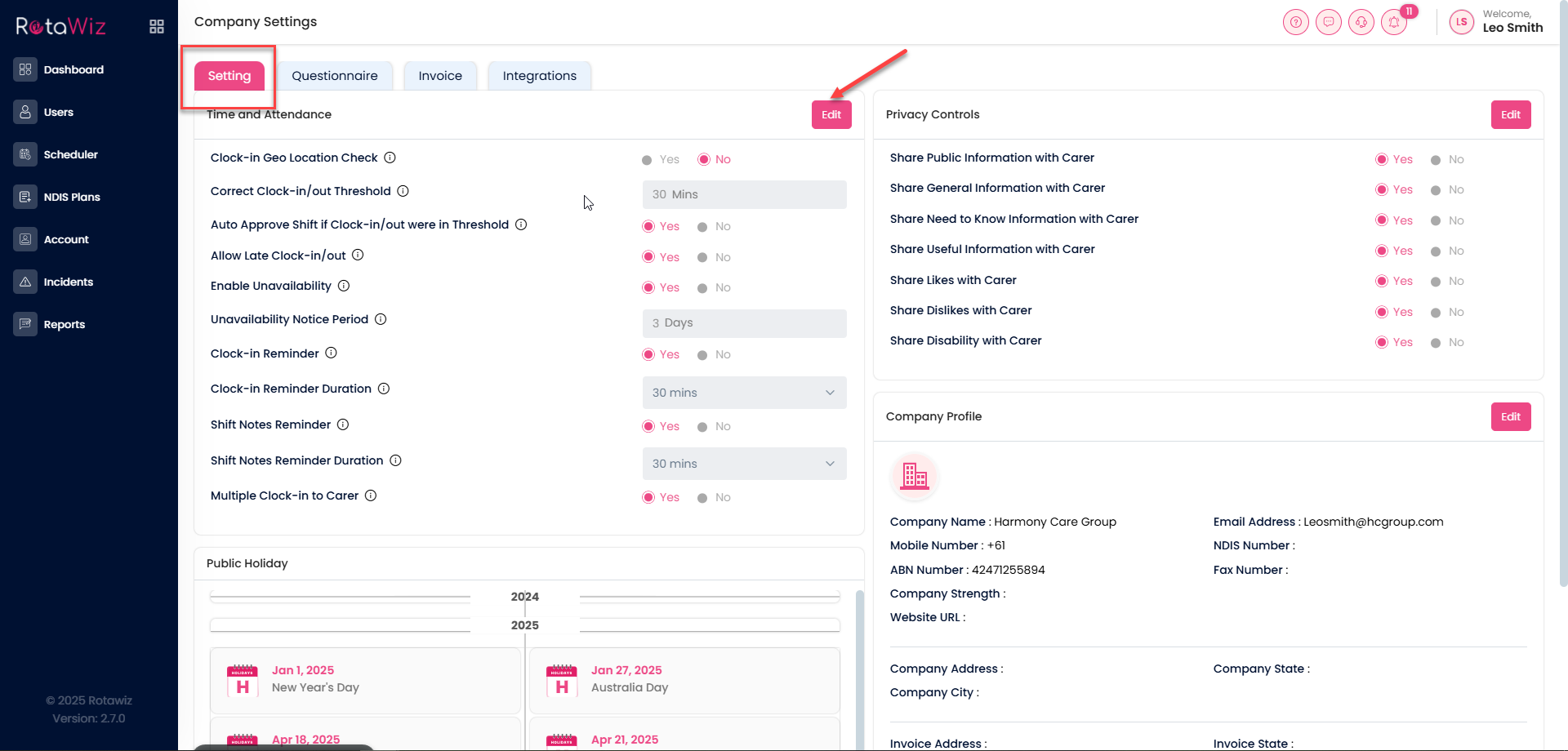
You will see four sections:
- Setting
- Questionnaire
- Invoice
- Integrations
Click on Settings
In the Time and Attendance section, click the Edit button
- Enable GeoLocation for Clock-ins
- Find the option called Clock-in GeoLocation Check and switch it from No to Yes
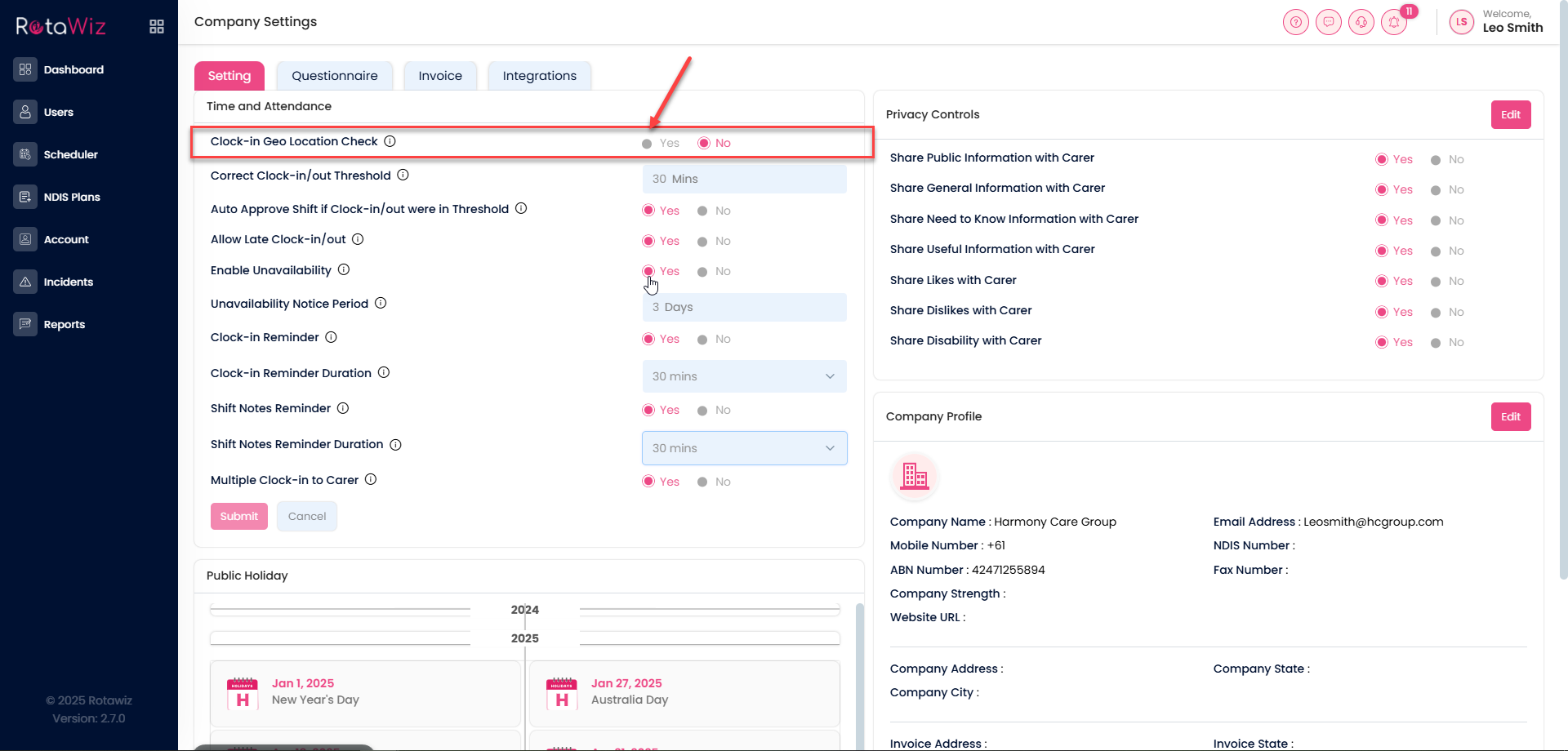
Once enabled, staff clock-ins will include location tracking, helping you verify attendance accurately