

Yes! You can prevent staff from marking themselves as unavailable by following these steps
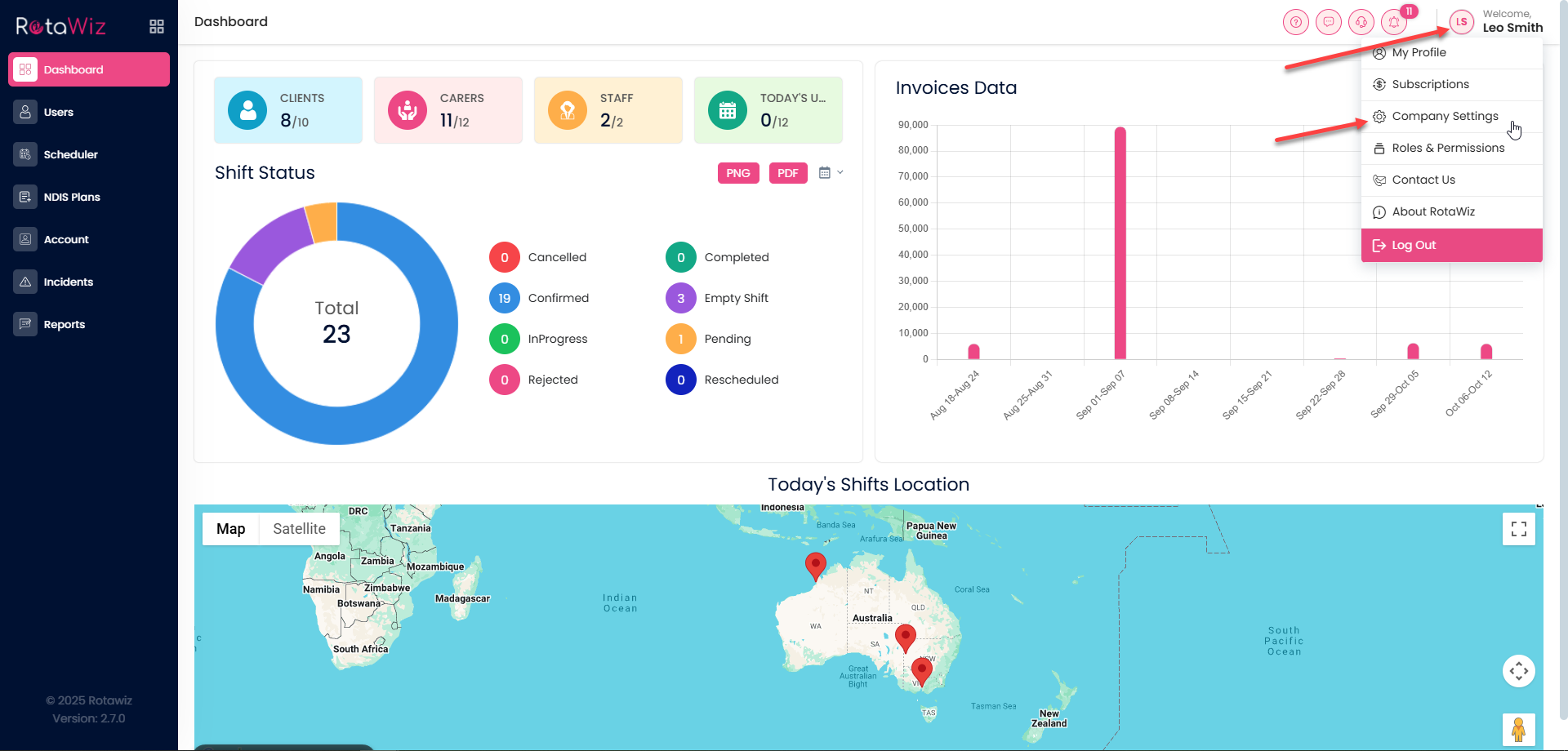
Access Company Settings
- Click your name in the top right-hand corner of the screen
- From the drop-down menu, select Company Setting
Open the Settings Tab
You will see four sections:
- Setting
- Questionnaire
- Invoice
- Integrations
Click on Settings
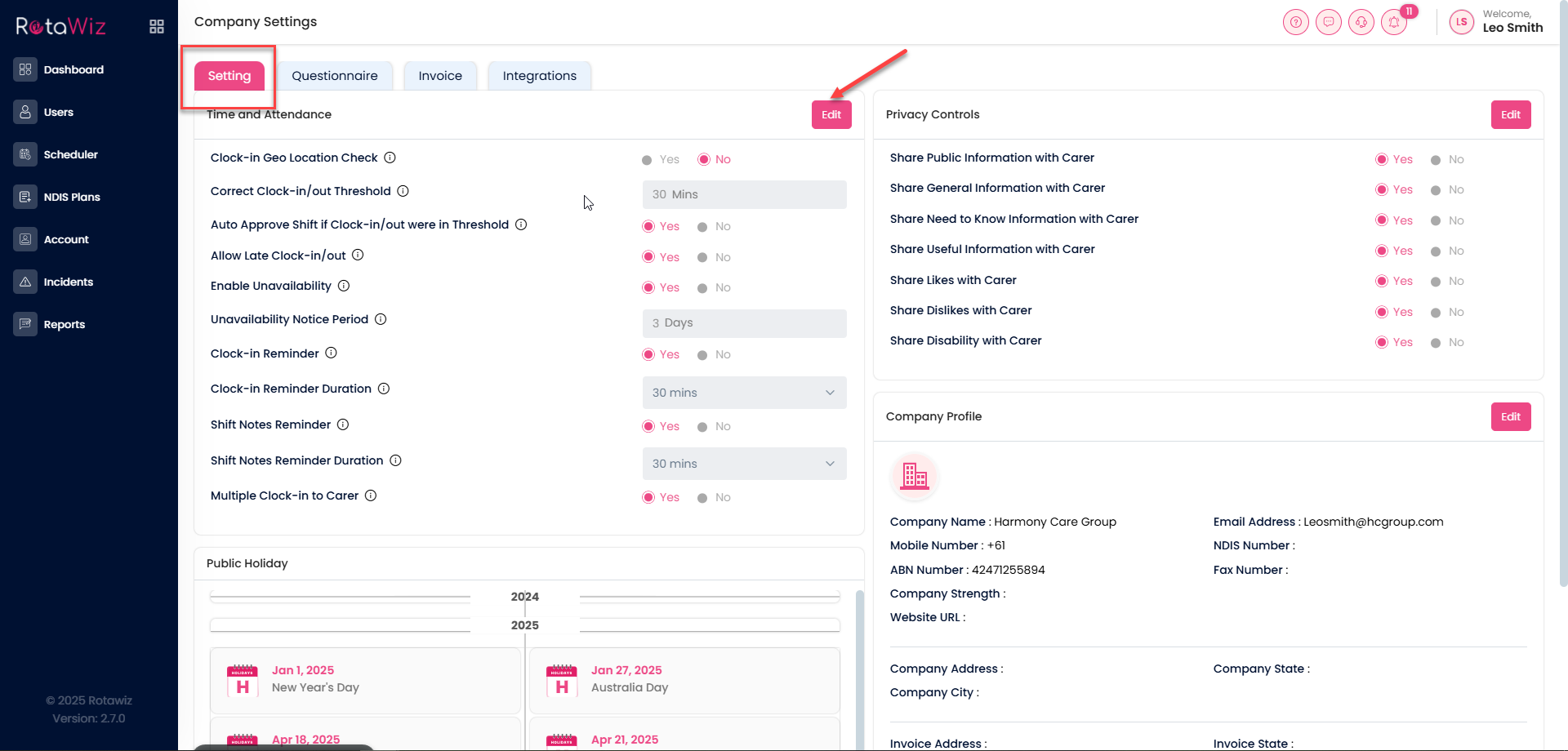
- Edit Time and Attendance Settings
- In the Time and Attendance section, click the Edit button
- Find the option called Enable Unavailability and switch it from No to Yes
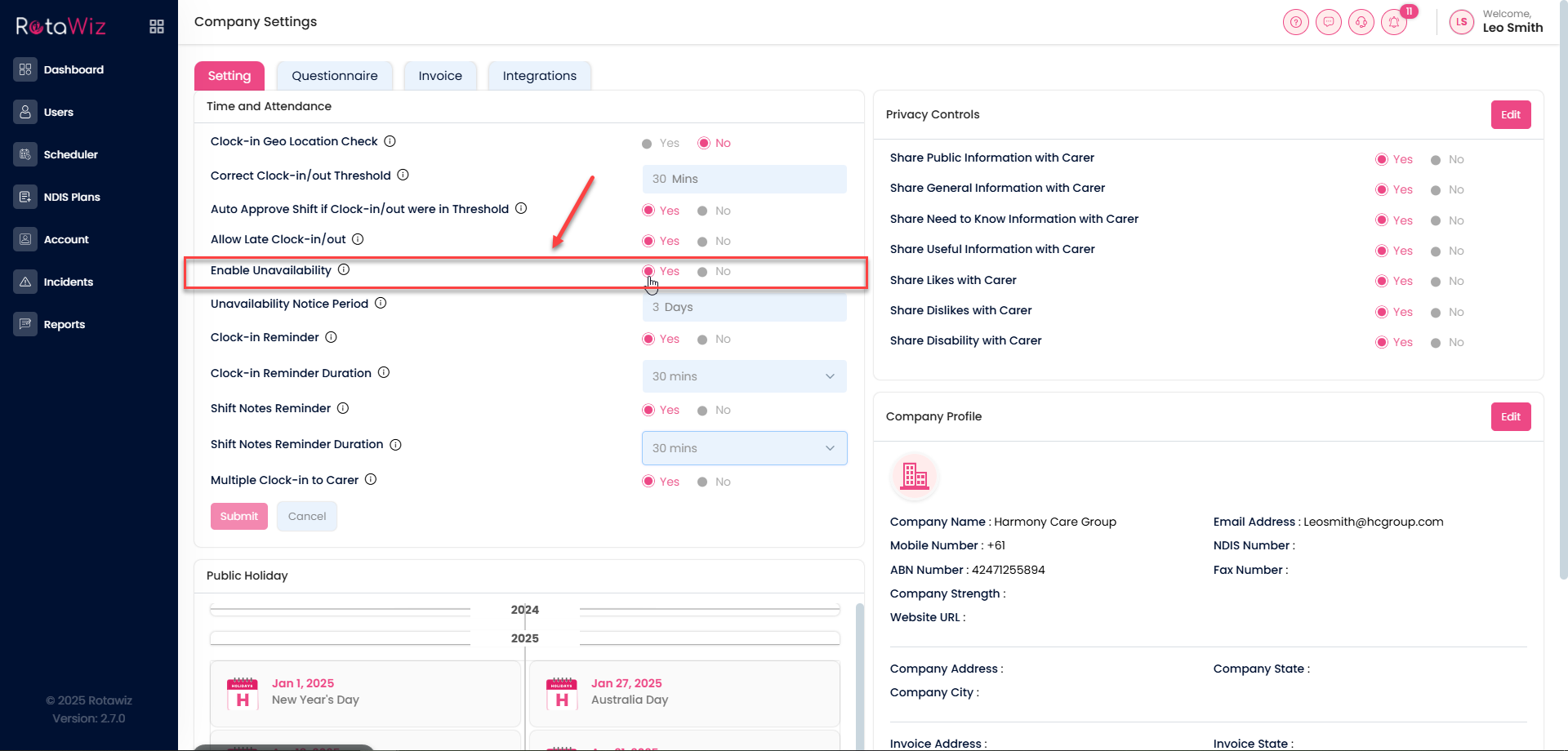
Once this is enabled, staff will not be able to mark themselves unavailable, giving admins full control over shift availability