

You can easily adjust when staff are reminded about shift notes by following these steps
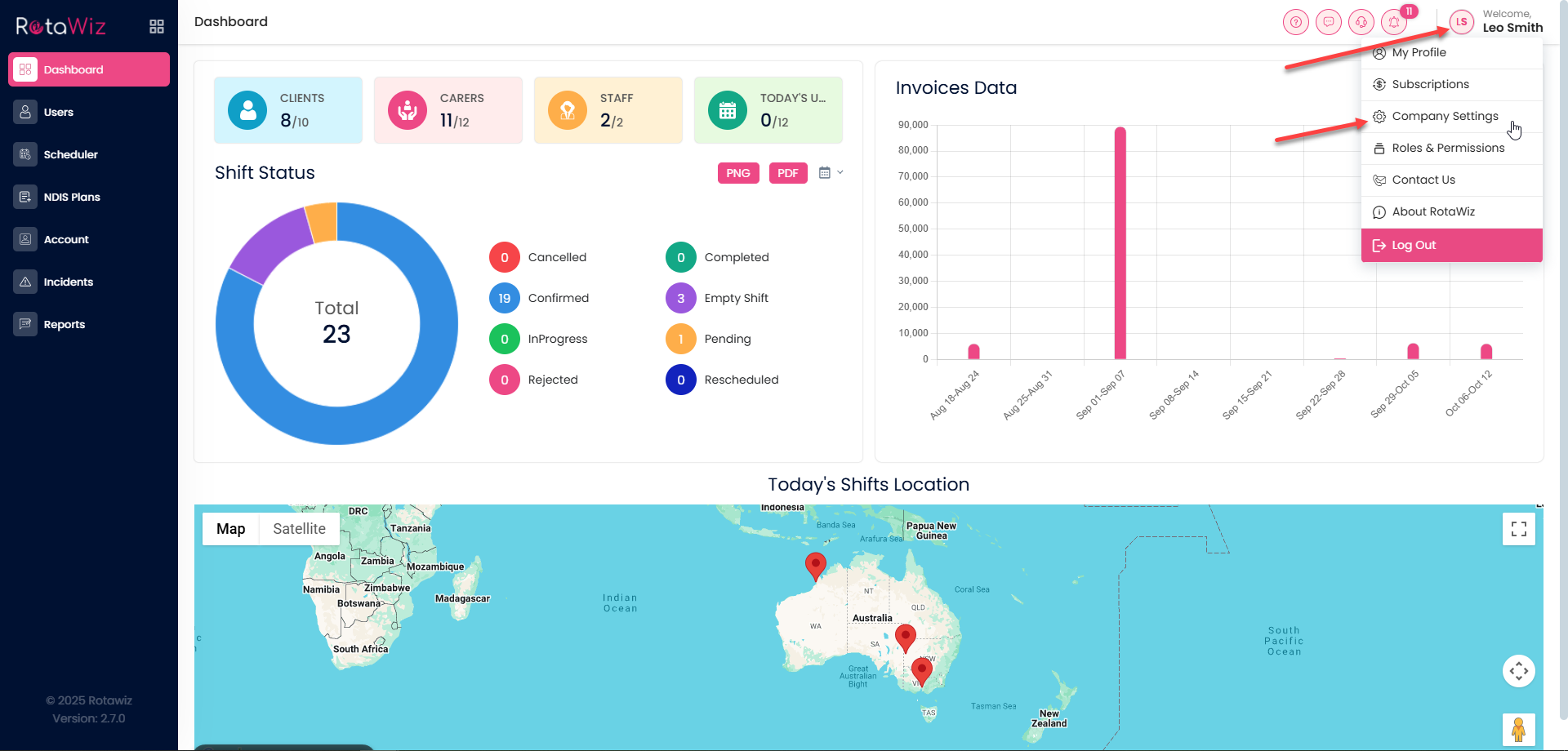
Access Company Settings
- Click your profile icon in the top right corner and select Company Setting
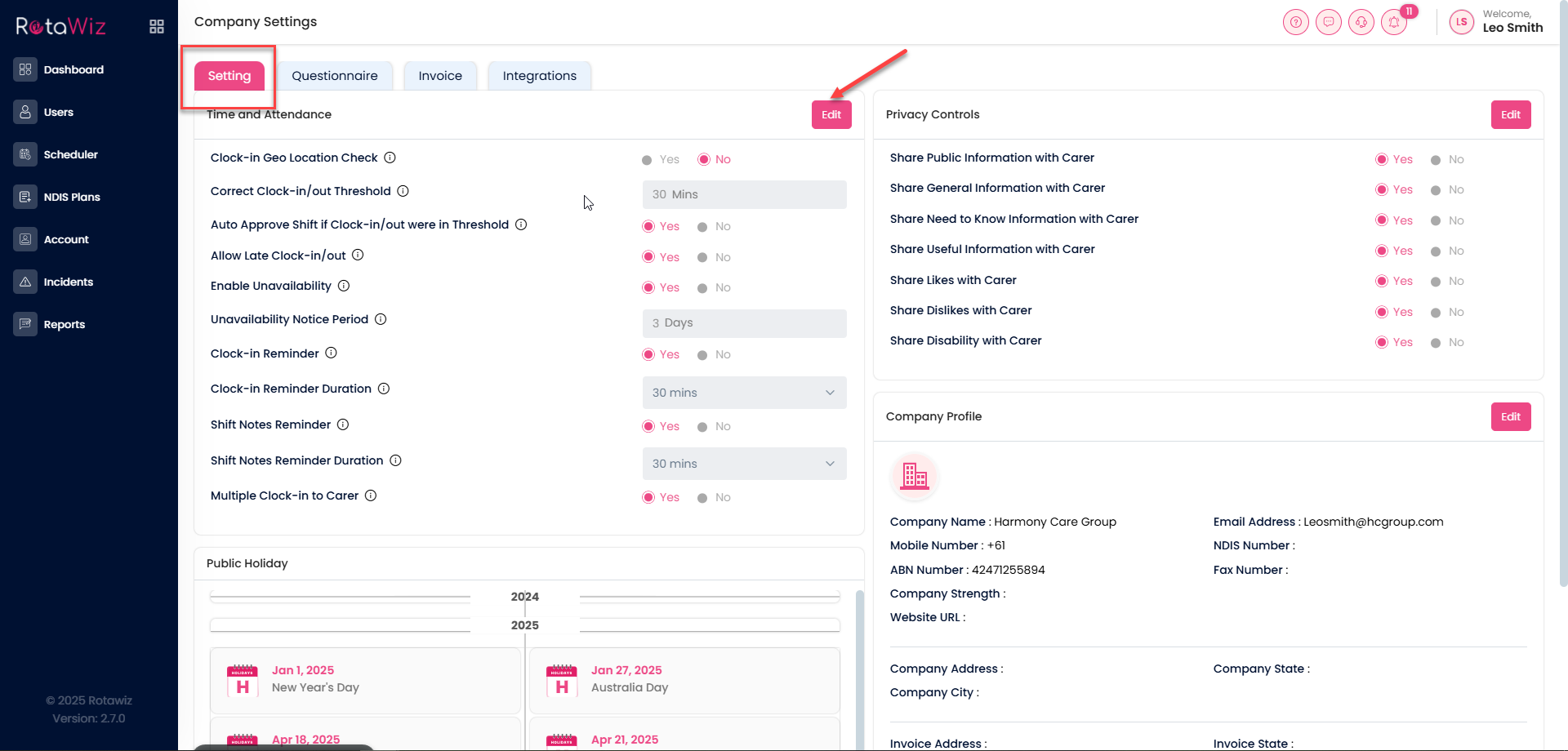
Open the Settings Tab
- Click on the Settings tab, then click the Edit button
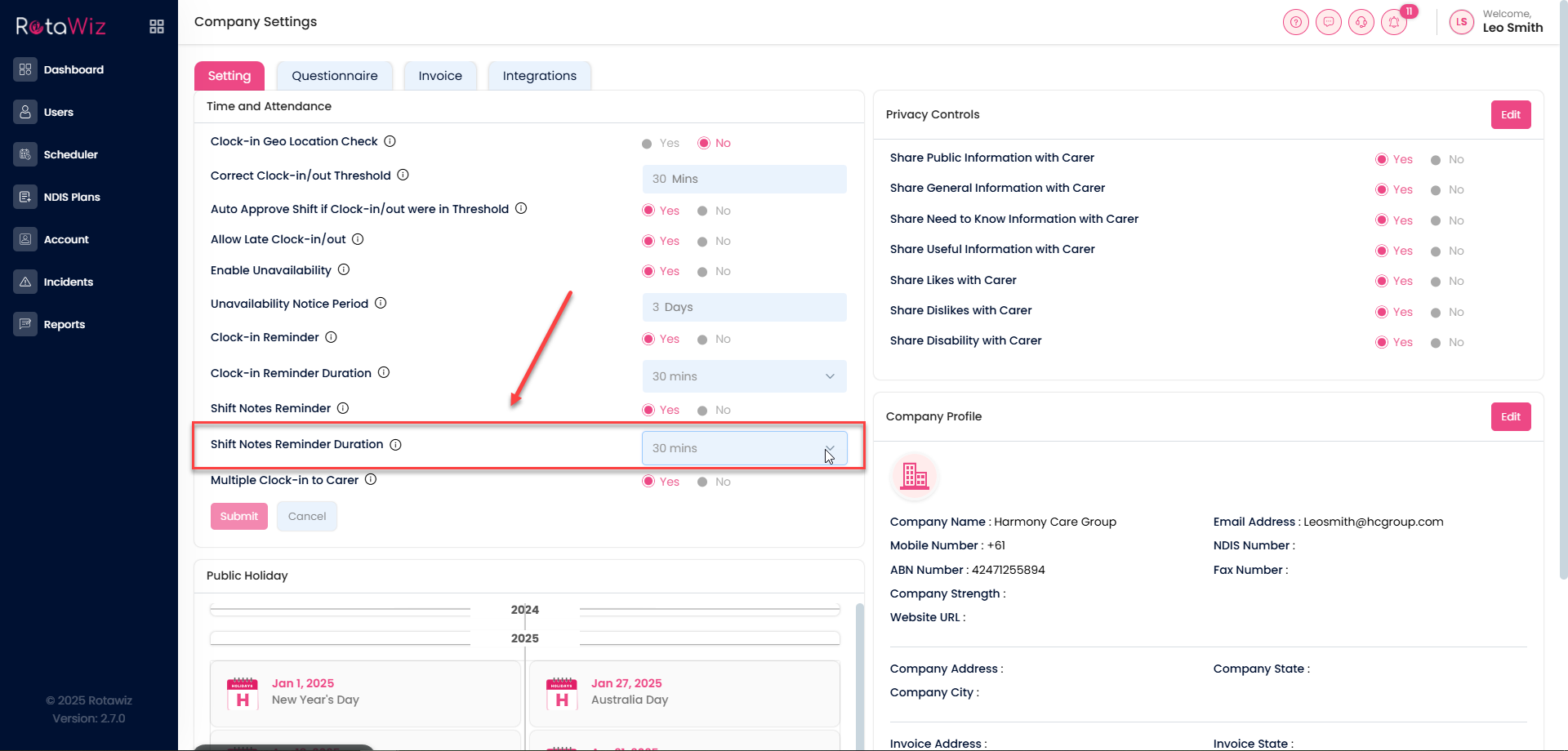
Adjust Shift Notes Reminder
- Look for the option Shift Notes Reminder Duration
- Select the reminder time you want staff to receive for shift notes
Save Your Changes
- Click Submit to apply the new reminder time
- This ensures your team gets timely reminders for shift notes, keeping everyone informed and prepared