

First, make sure the client's new plan exists.
Step 1:
Open Dashboard → NDIS Plan Expiry and find the client.
Step 2:
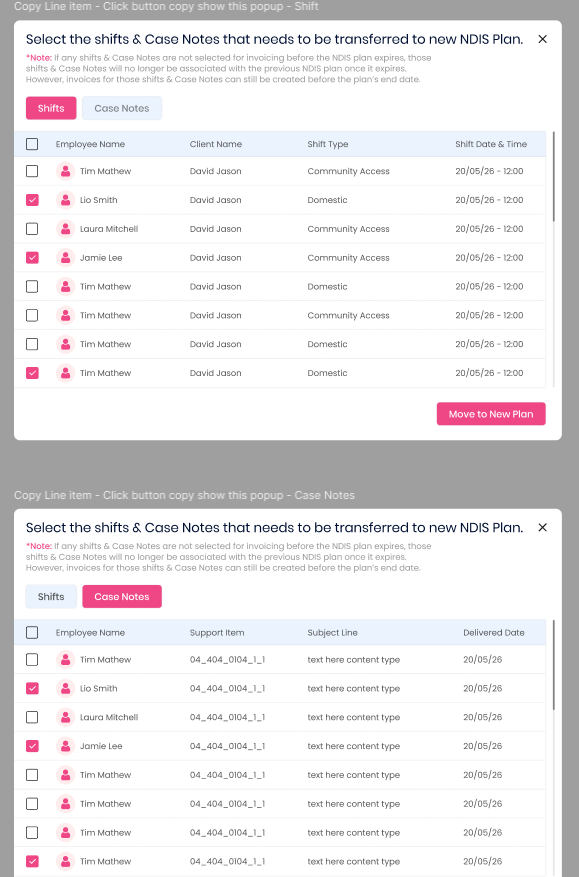
Open the transfer popup.
Step 3:
On the Shifts tab, tick the shifts to move and click Move to New Plan.
Step 4:
On the Case Notes tab, tick the case notes to move and click Move to New Plan.
What changes and what doesn't:?
- Only the NDIS Plan changes. Date, times, employee, pricebook, line item, Location Type and the note itself stay the same.
- A Funding Period from the old plan is removed if it isn’t valid for the new plan. Edit the shift to pick one of the new plan’s periods.
- Only the items you tick move. Everything else stays on the old plan.
- Moving doesn’t use any budget. The new plan’s budget is used when you invoice.