How Can We Help You?
Where do I update my billing information
Updating your billing info is simple:
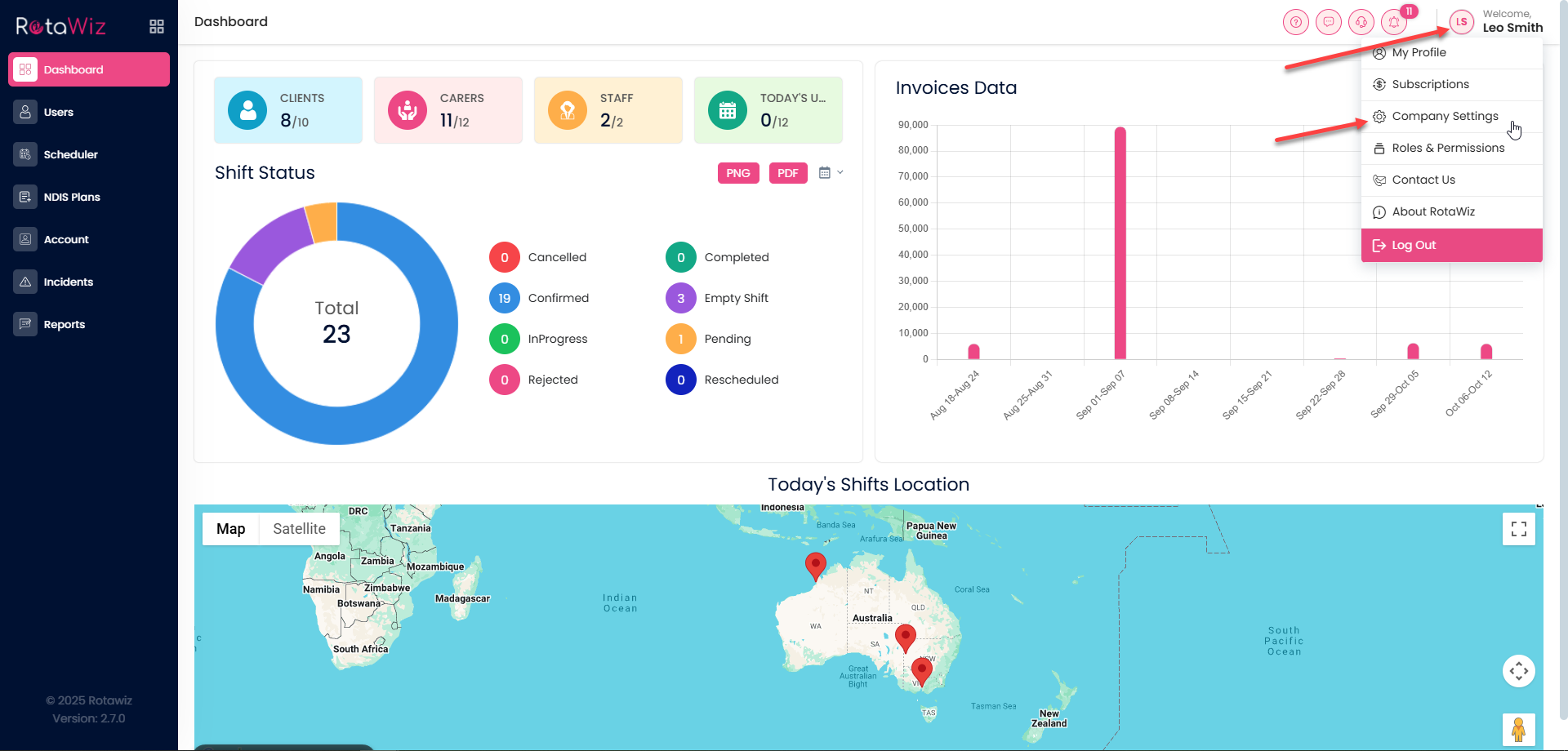
Click your name in the top right corner and select Company Setting.
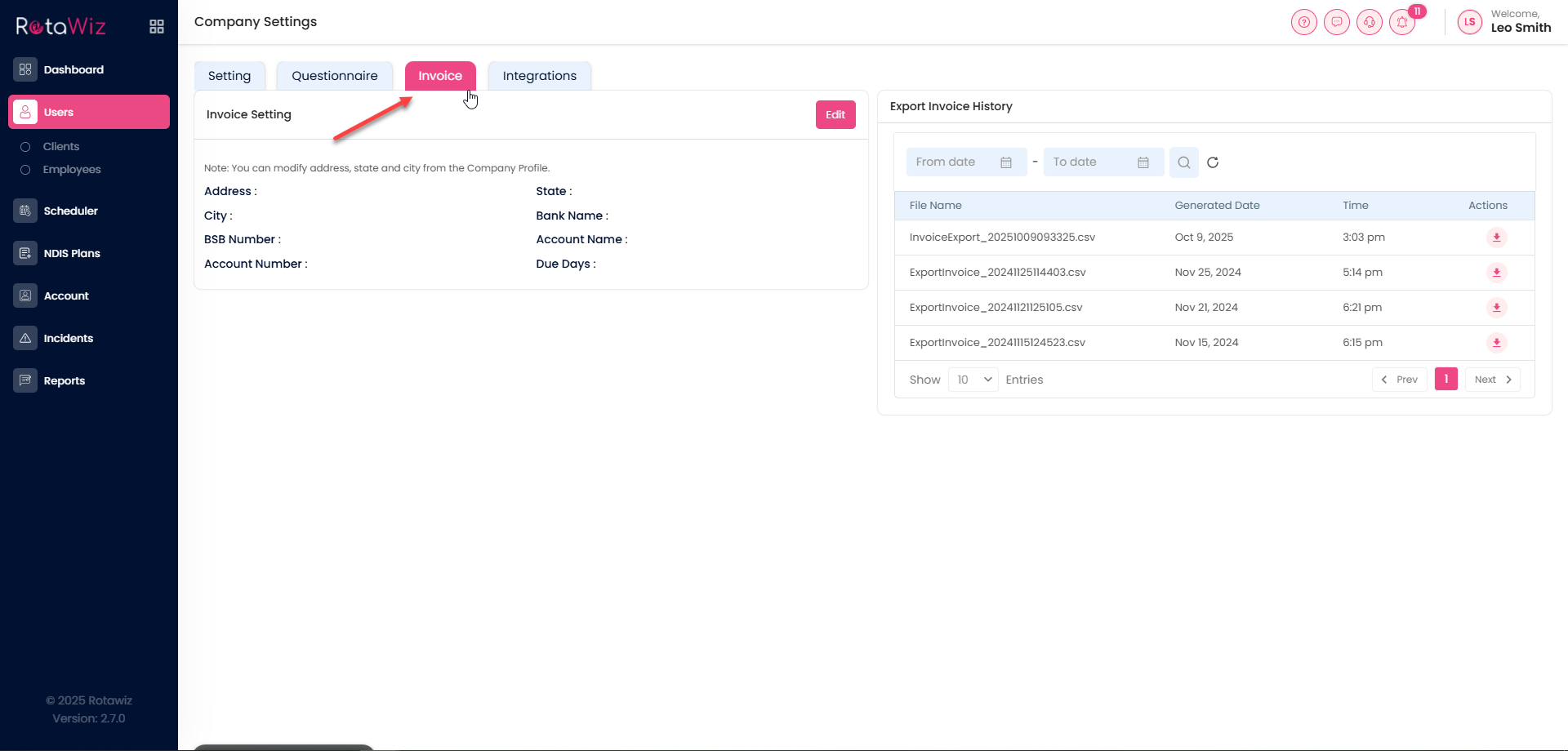
Click the Invoice tab.
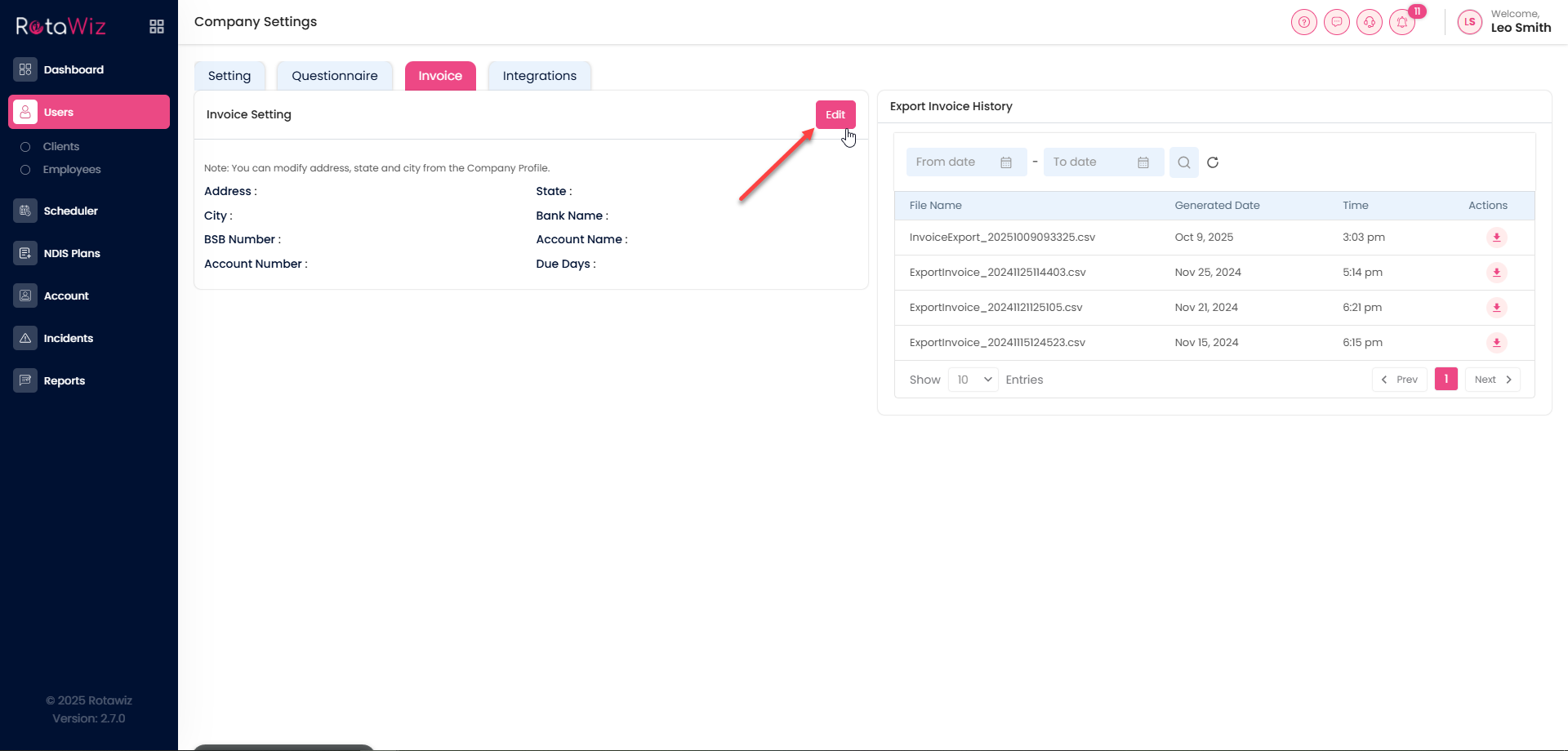
Click the Edit button in the invoice section.
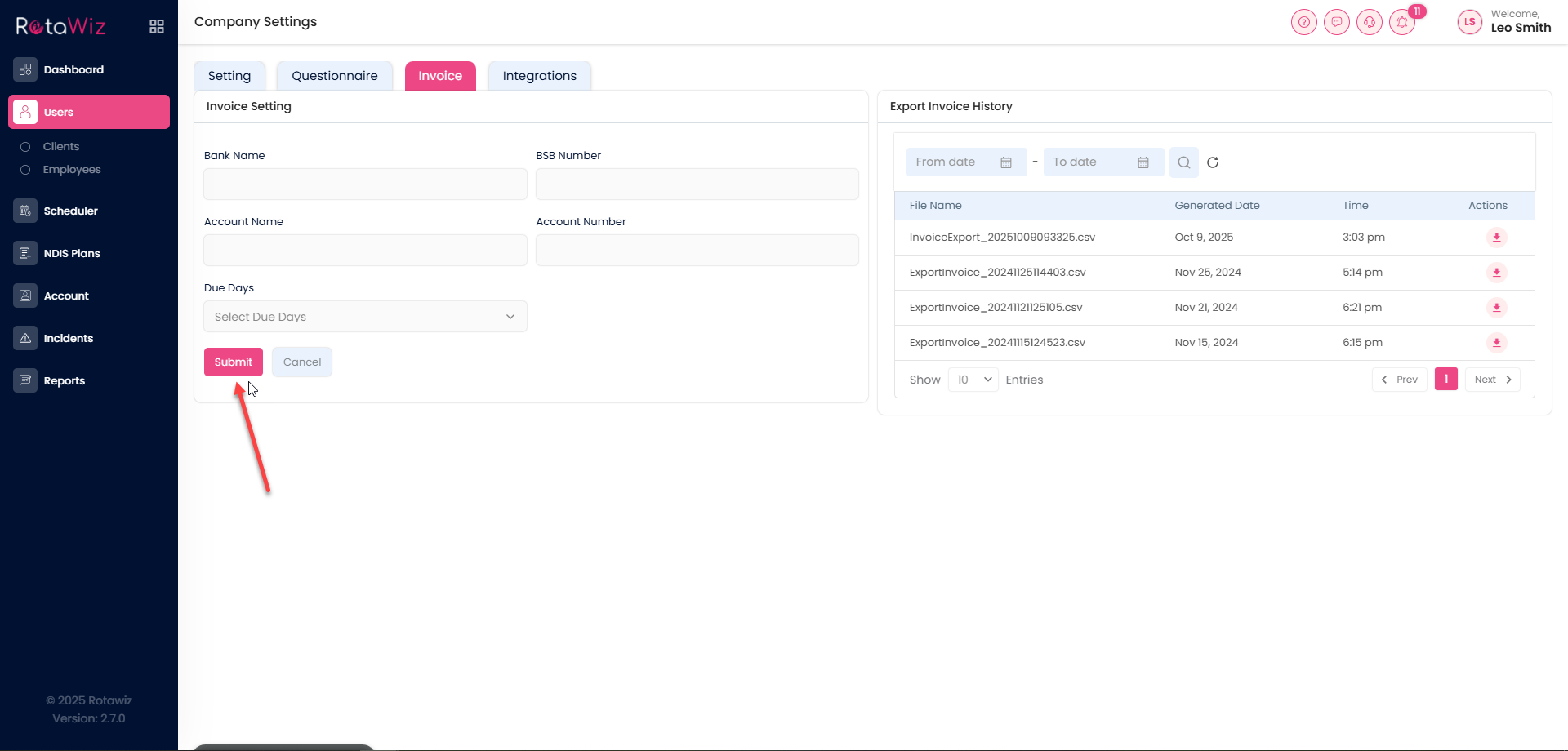
Make your updates and click Submit. Your billing info is now up to date.