Yes you can edit the invoice once it’s drafted, By the following steps
- Navigate to the “Accounts” section
- From the Side Navigation Menu, click on “Draft Invoices”.
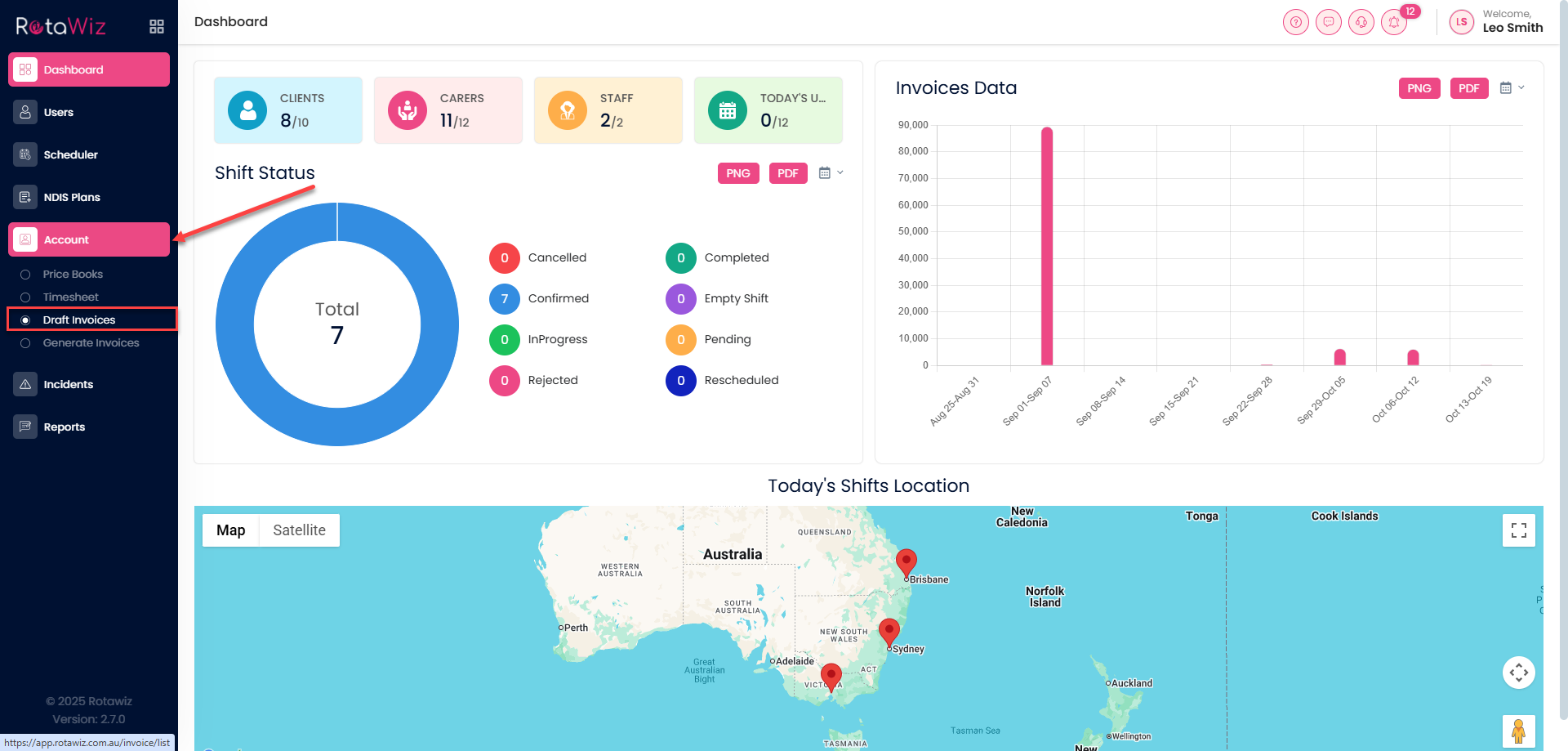
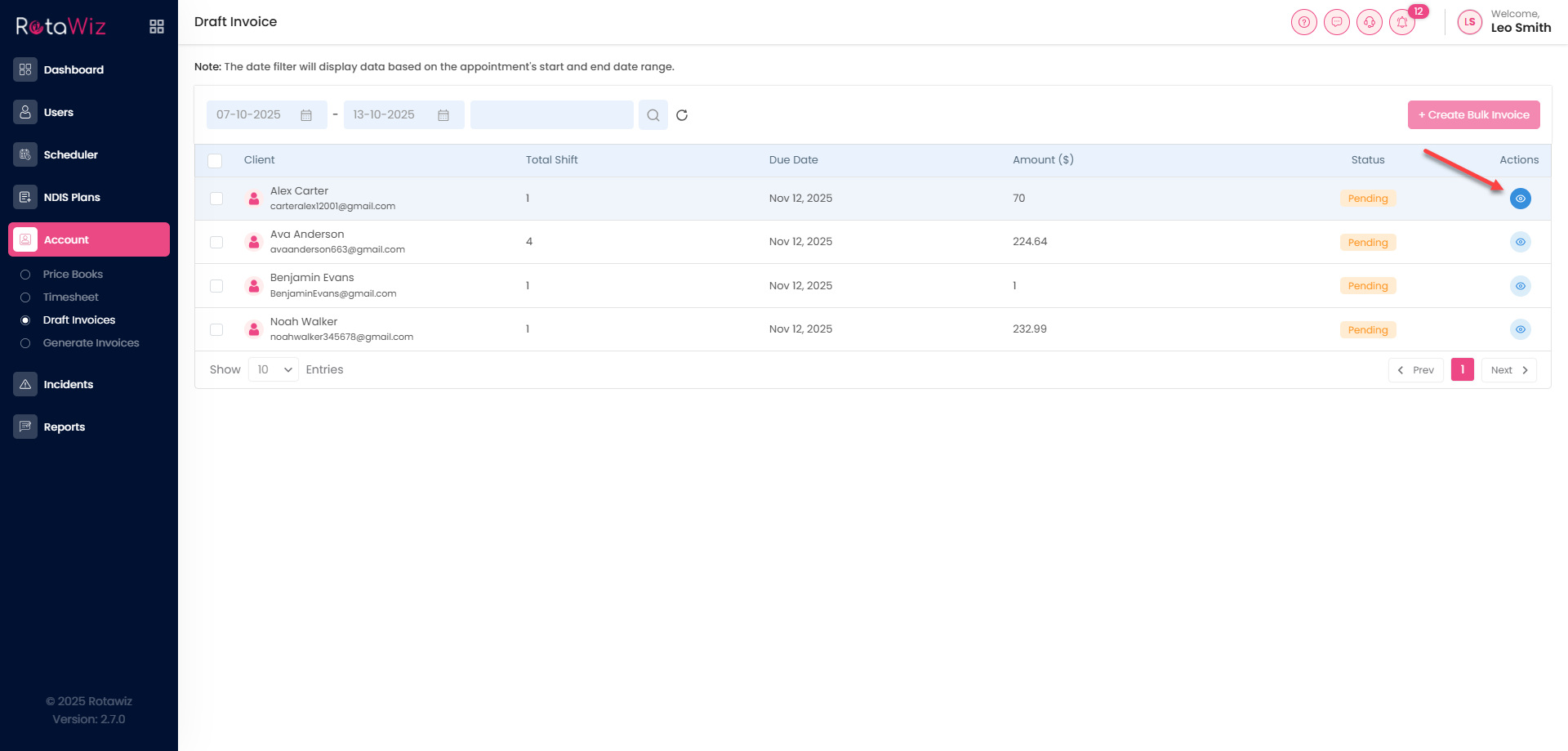
Where you will see all the drafted shifts which are completed.
- Click on the button “view details” of the shift for which you have to generate the invoice.
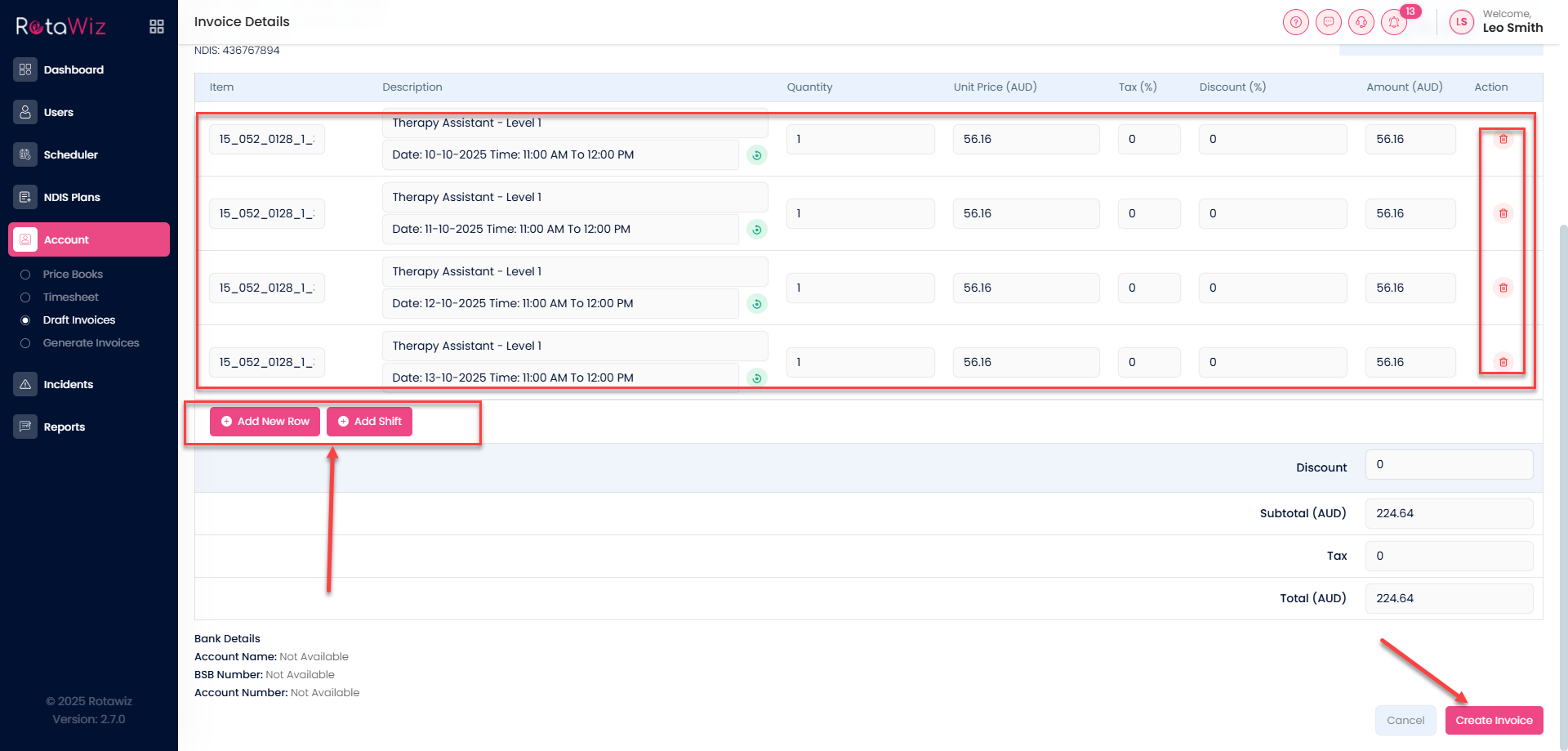
- In the view detail tab you will find the drafted invoice where you can edit the line items pricing also can add new line items.
- After creating the invoice it will automatically be shown in the generate section.
- Click on the generate button from the left side panel in the accounts section.
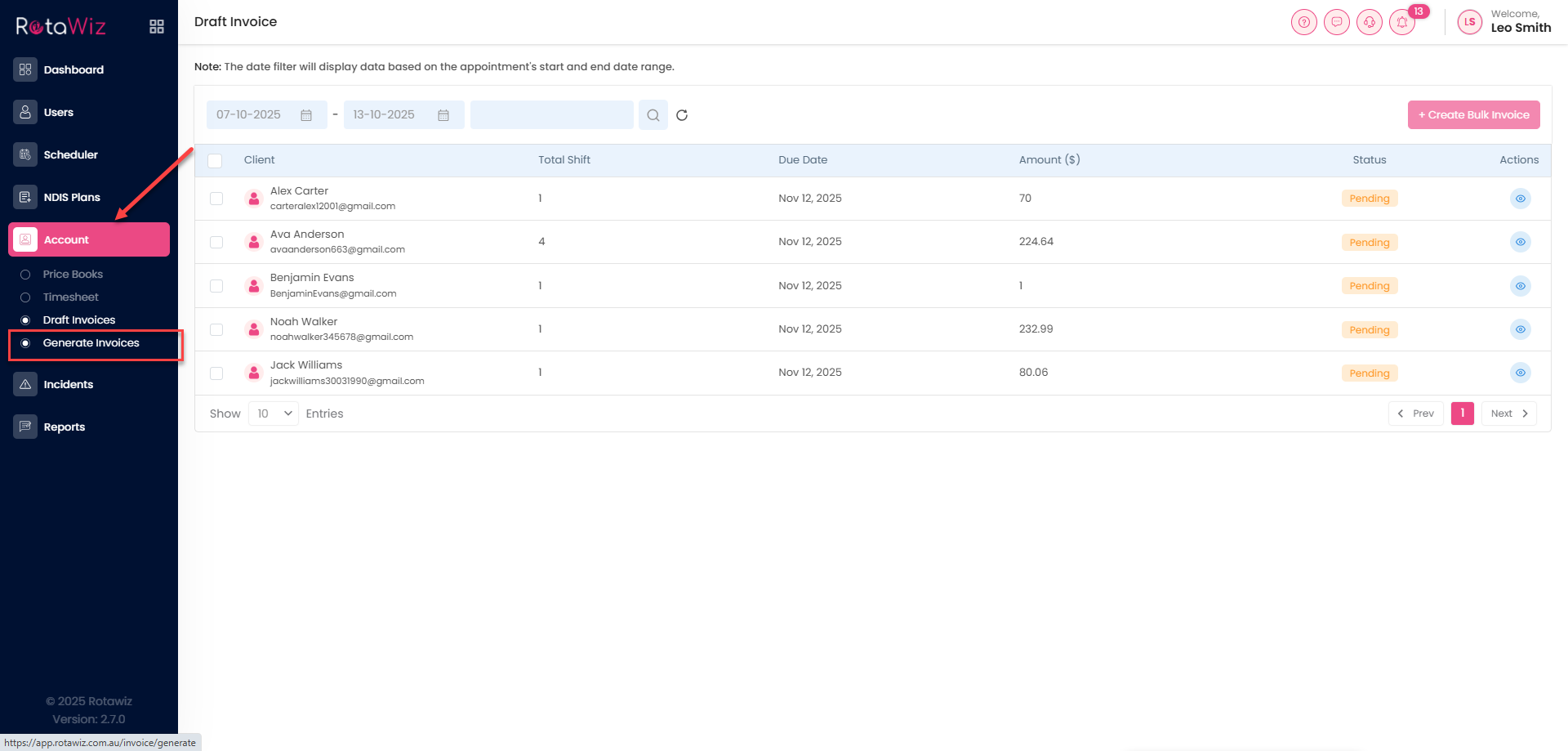
- In the generate invoice section you will see the status of the shift is completed.
- Click on the 3 dots and click on the generate invoice.
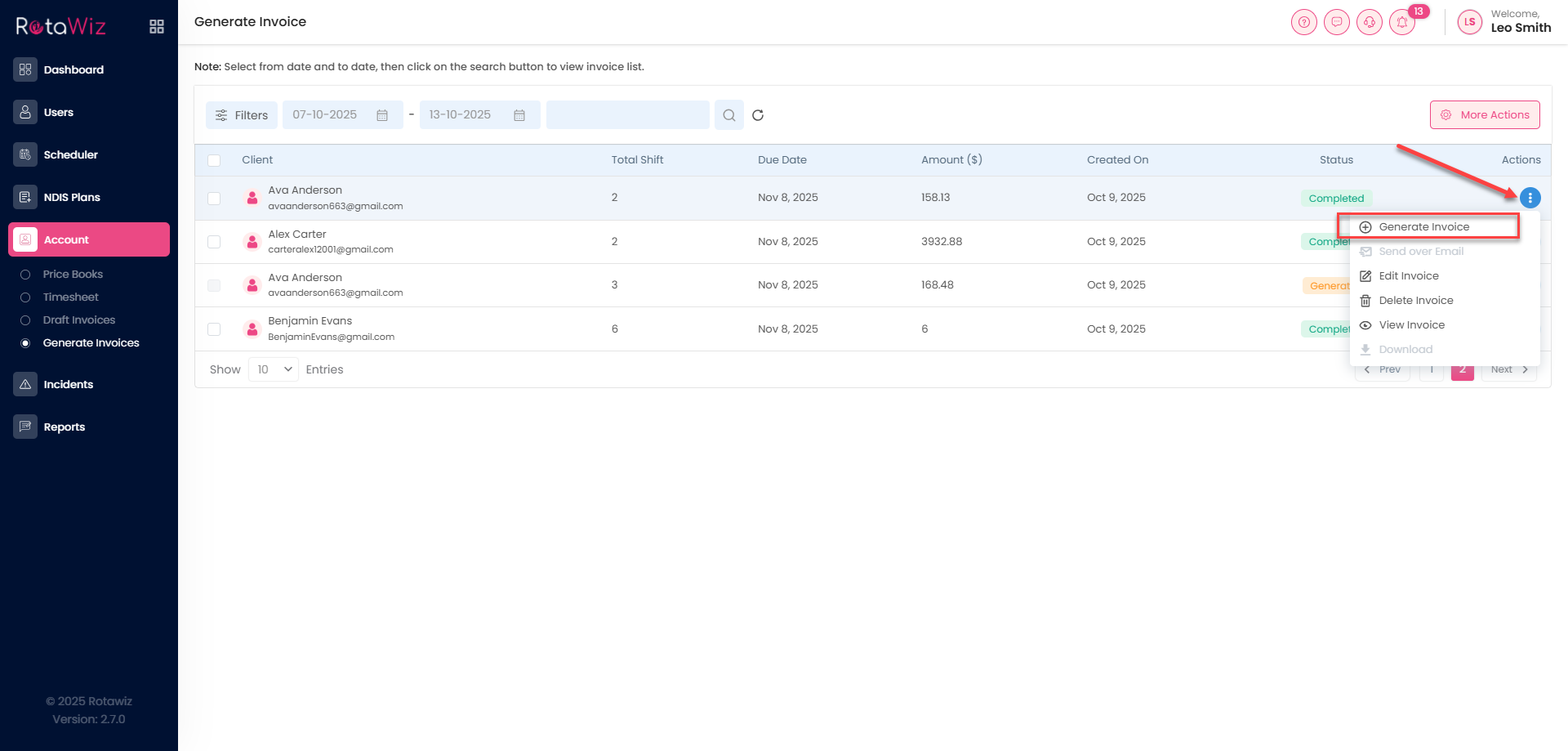
- A pop-up will appear for the confirmation click on the yes tab.
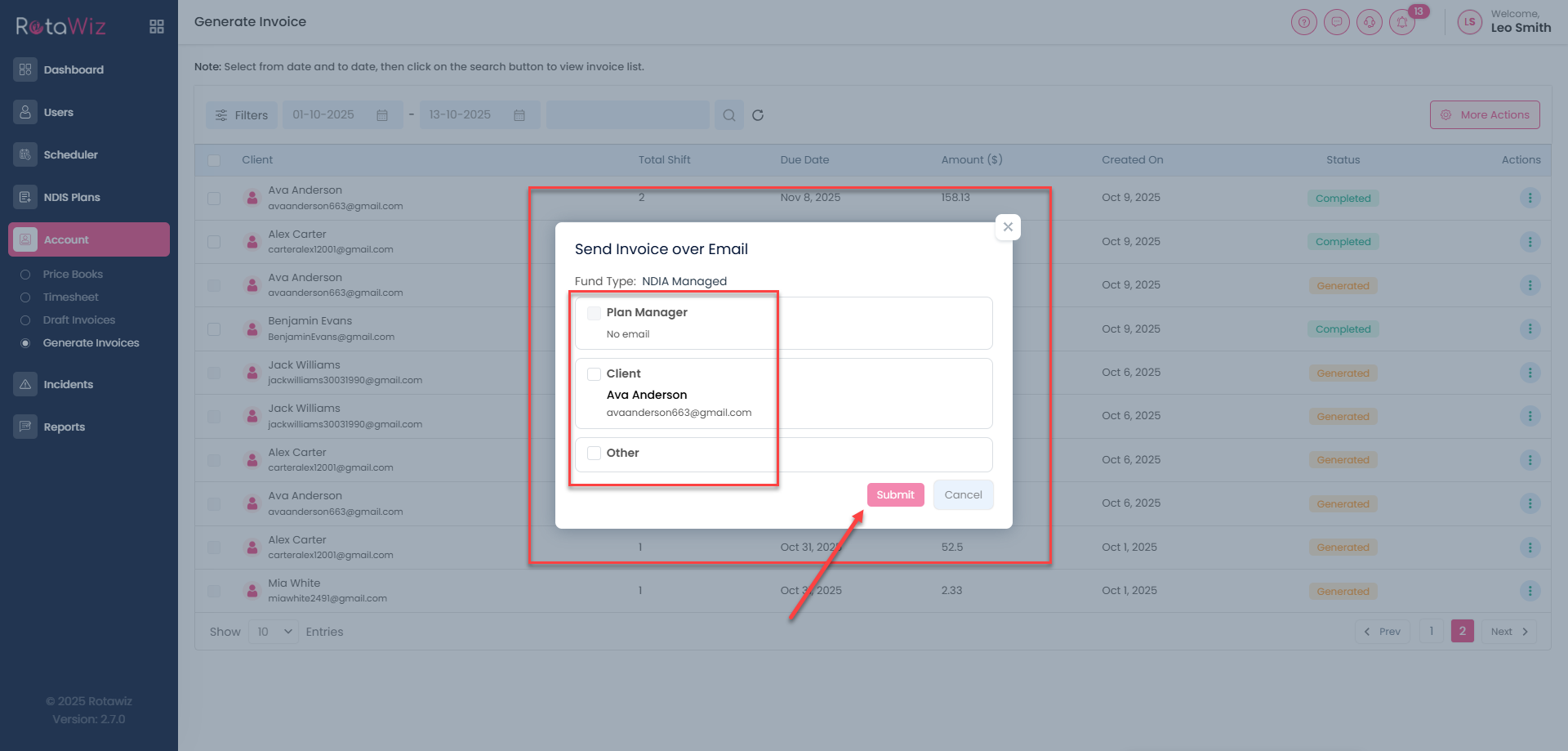
- After generating the invoice the status will be changed and when you click on the 3 dots you can download the invoice, can send over email and can view the invoice, also when you want to send over email you can send to the people accordingly.