

Yes, this is really simple! You can import clients and employees in just a few clicks:
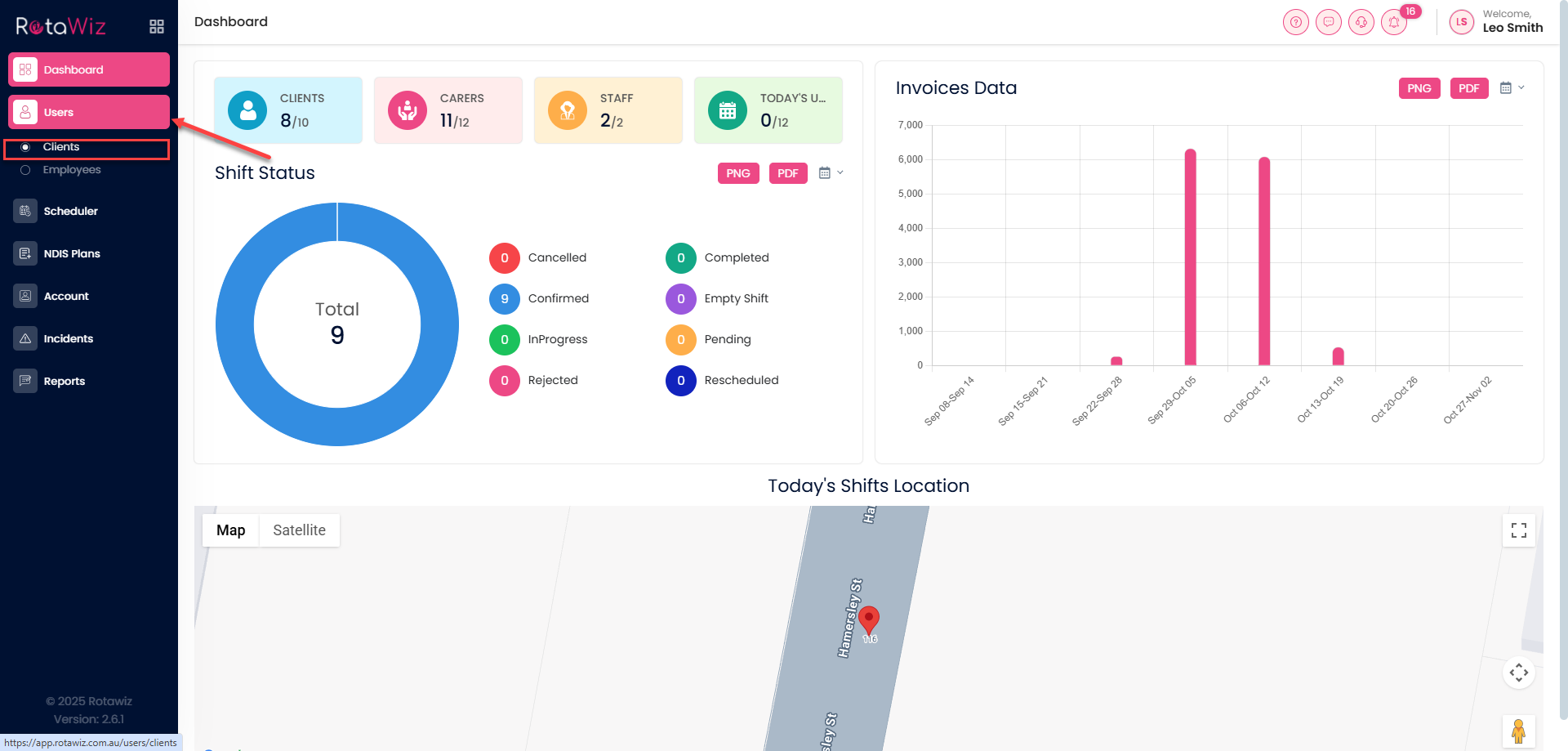
- Navigate to the “Users” section
- From the Side Navigation Menu, click on “Clients”.
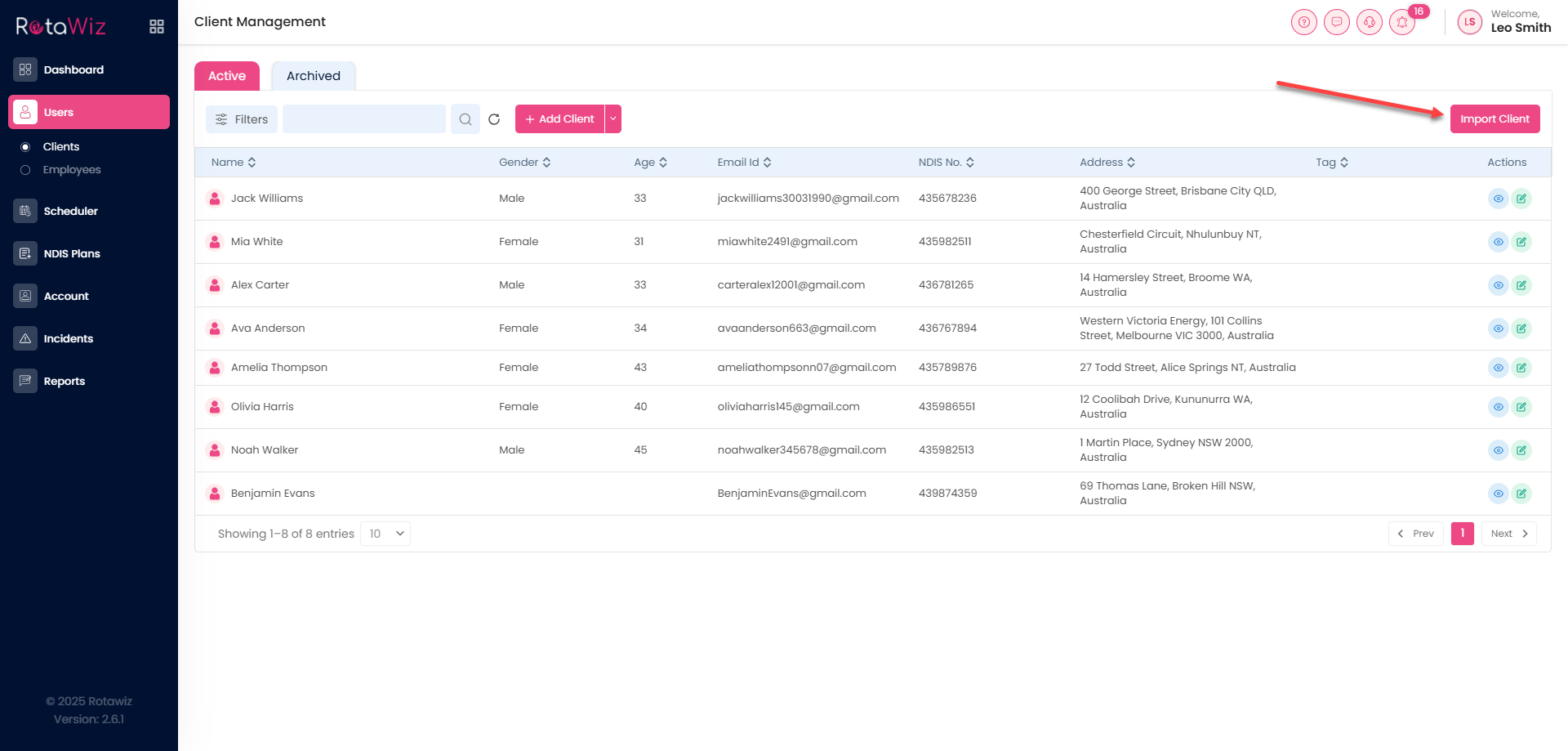
- You will see a button of “Import Client” click on the button.
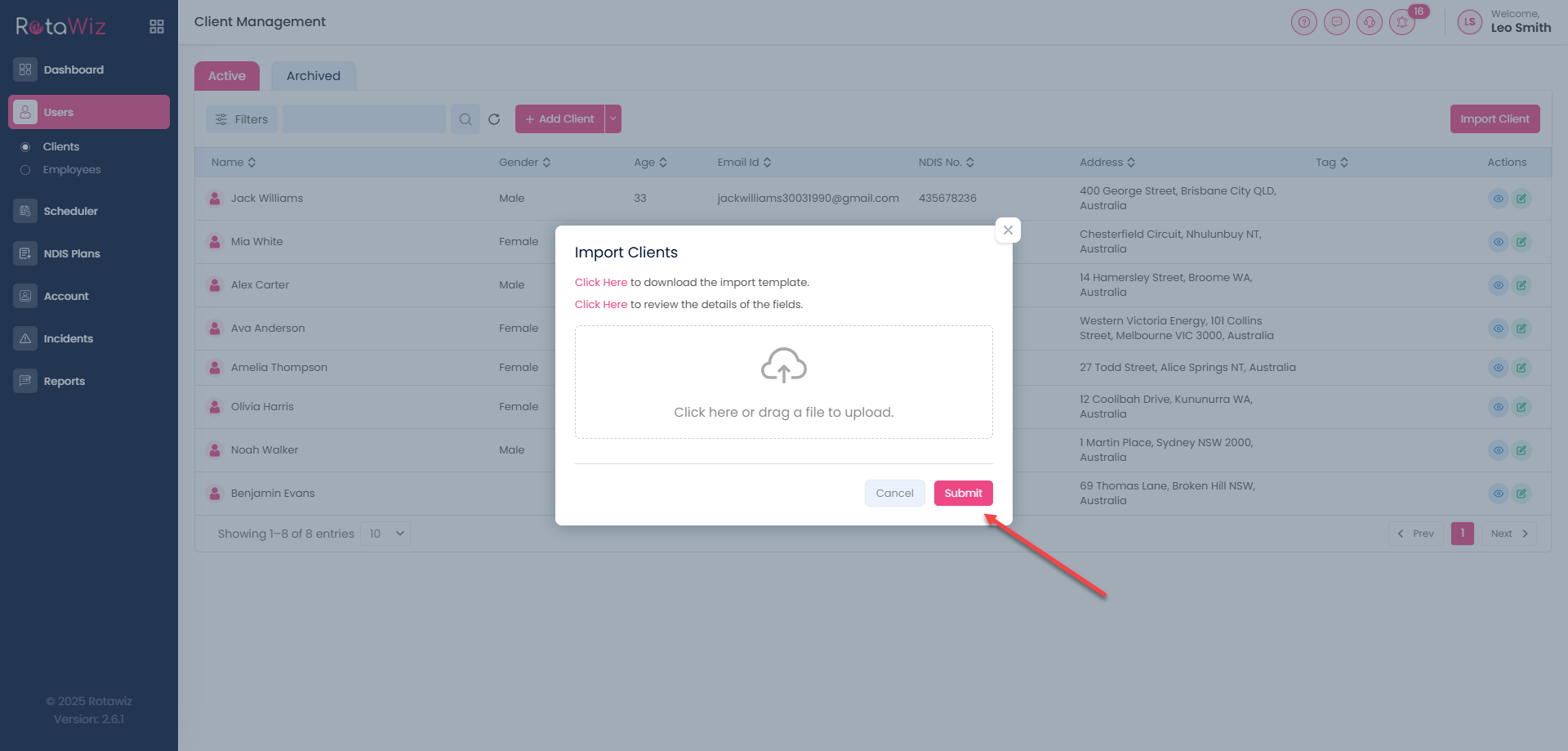
In which you will find two options :
- Click Here to download the import template.
- Click Here to review the details of the fields.
- Also you can review the details.
- After the upload of the details click on the next and it will be uploaded.
- For the Employee import again
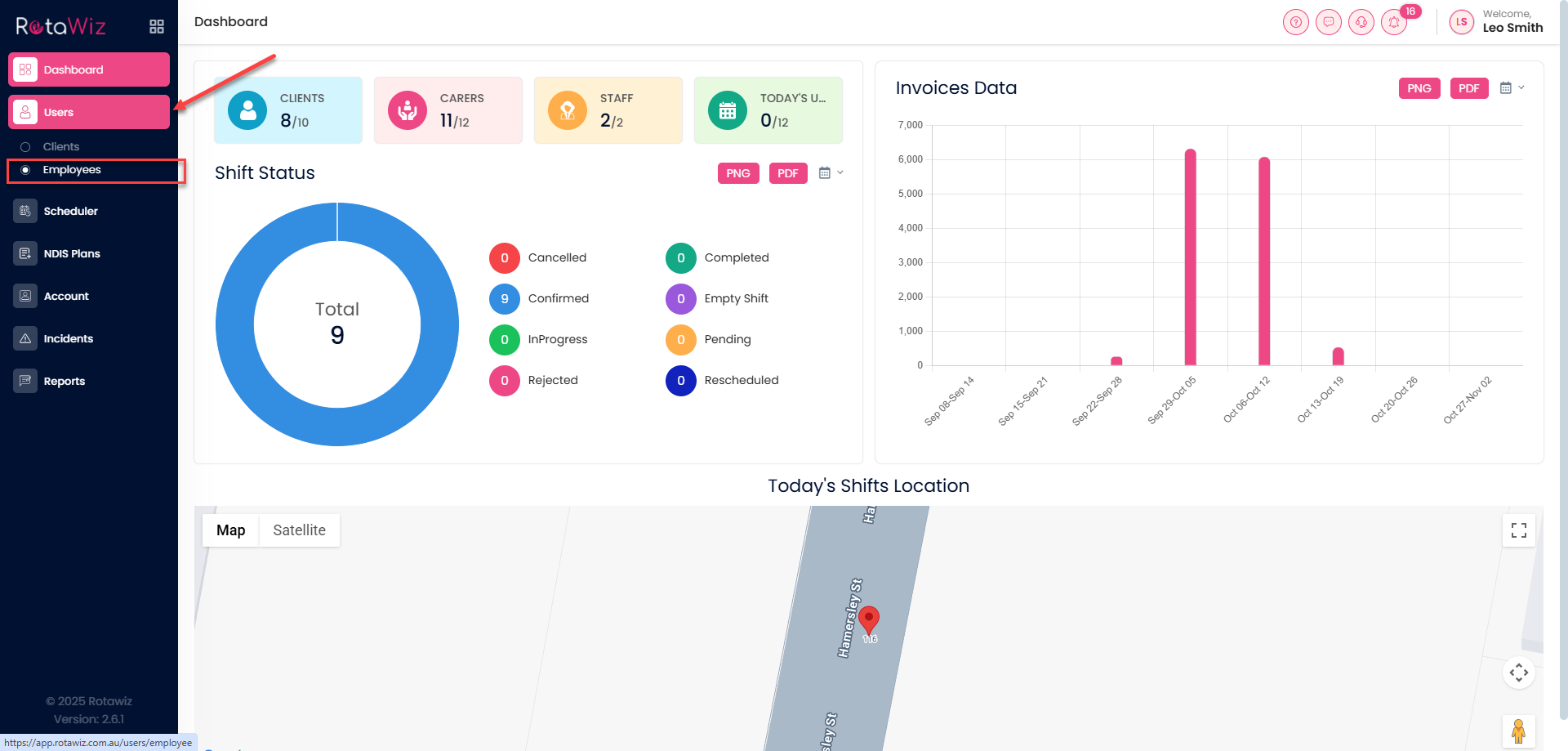
Navigate to the “Users” section
From the Side Navigation Menu, click on “Employee”.
- You will see a button of “Import Employee” click on the button.
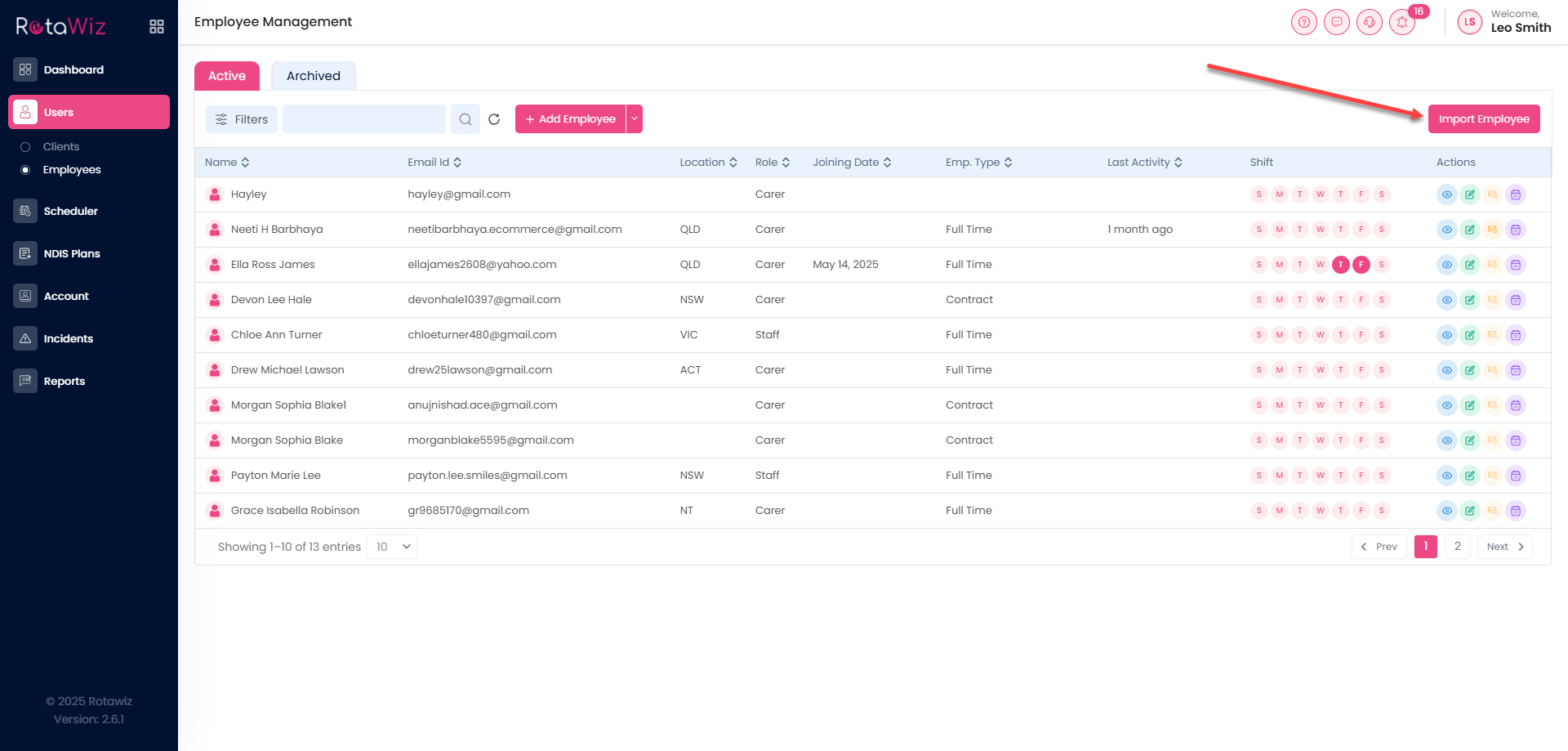
In which you will find two options :
- Click Here to download the import template.
- Click Here to review the details of the fields.
- Also you can review the details.
After the upload of the details click on the next and it will be uploaded.