To connect Quickbooks and Xero with Rotawiz, First you will need to create account on Xero and Quickbooks and then by following the below steps you can connect with Rotawiz:-
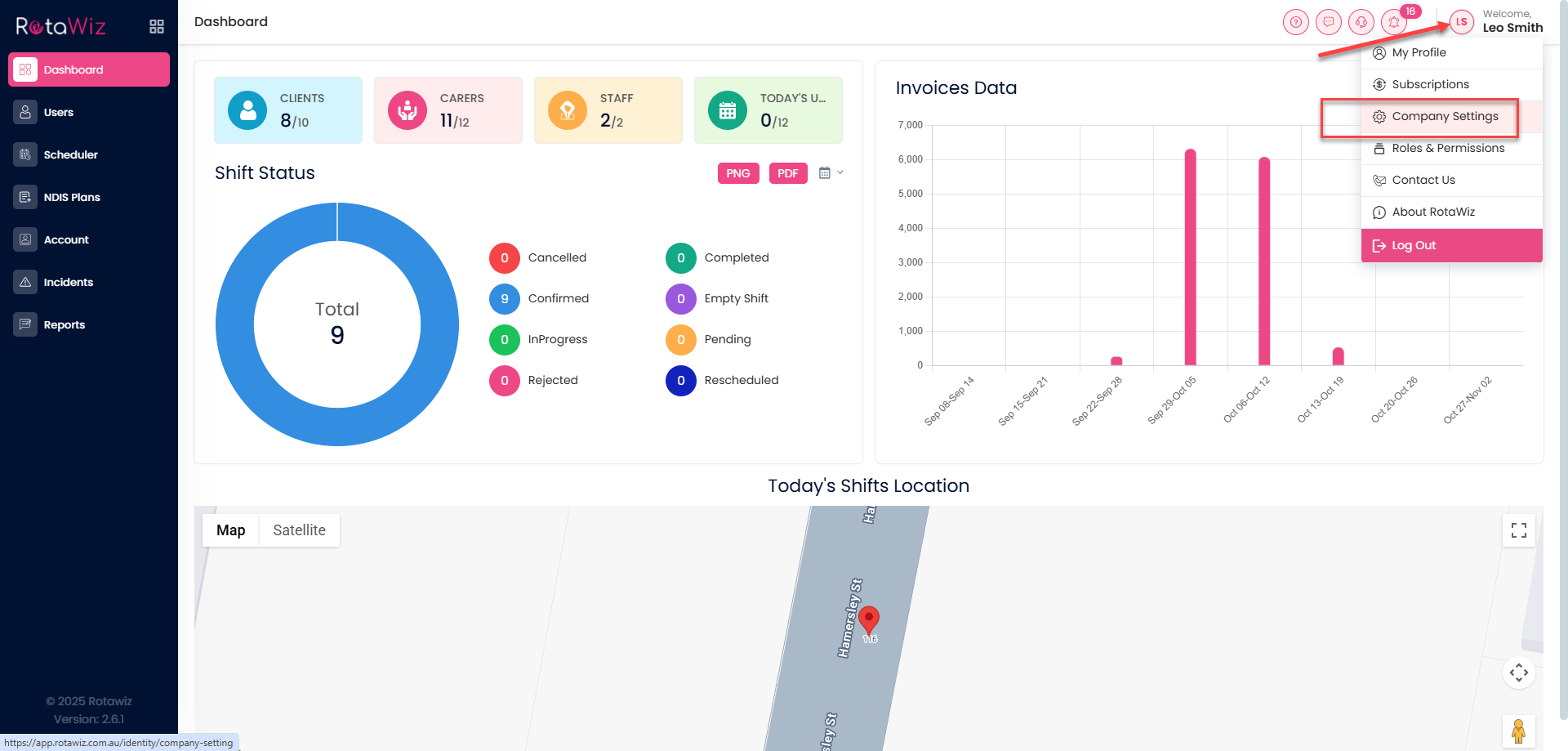
Navigate to the company setting section.
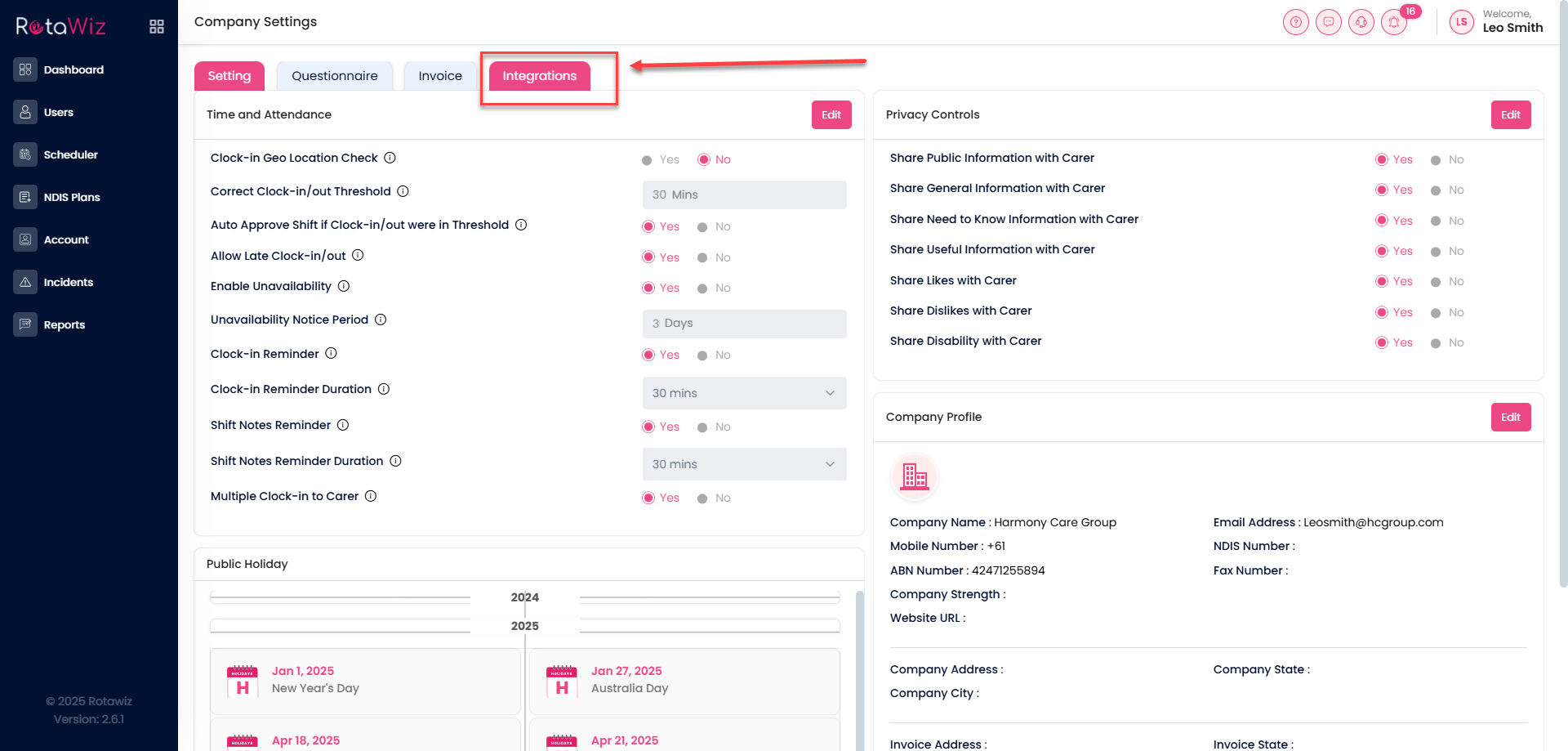
Where you will find a tab for the Integration go the that tab.
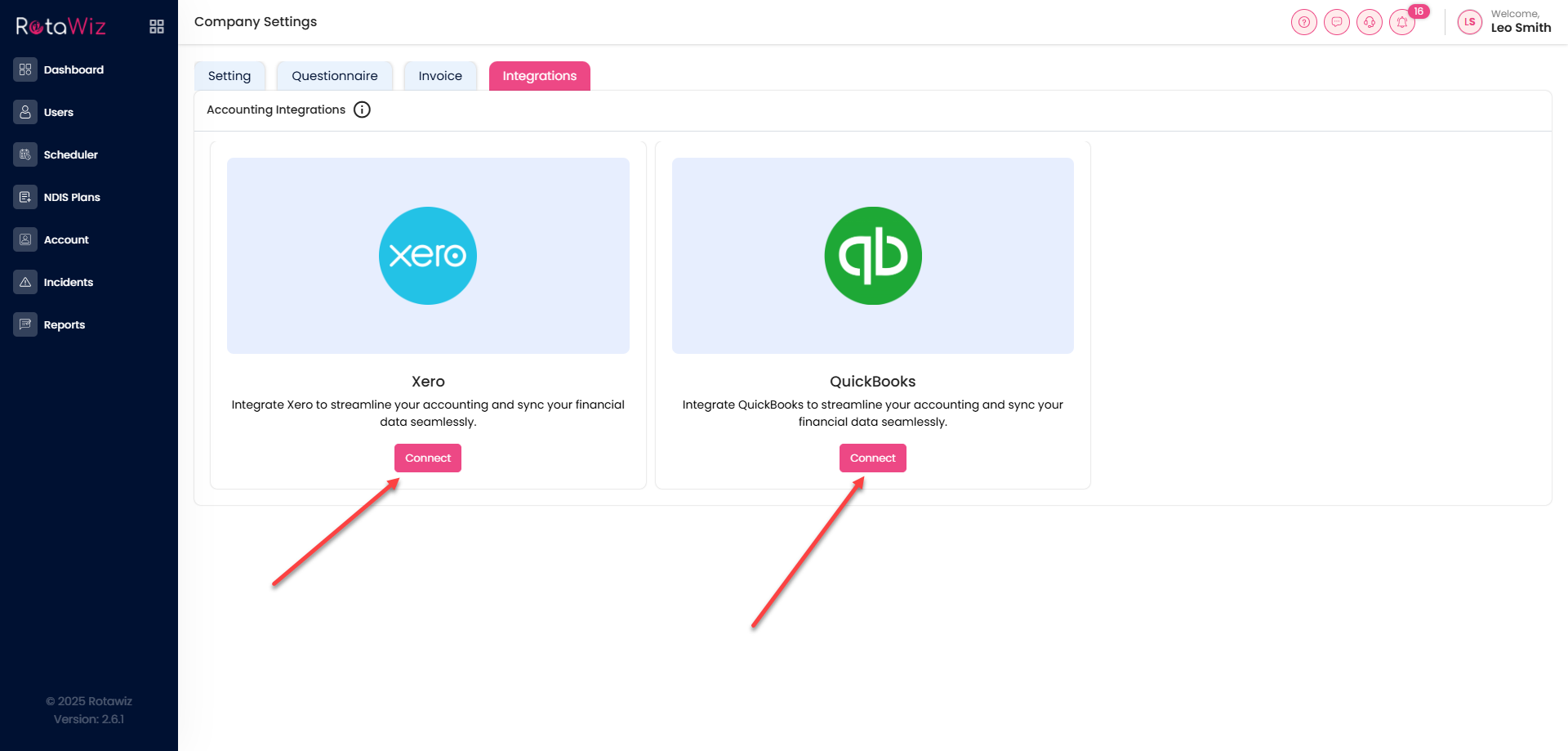
You will see the connect button of Quickbooks and Xero when you click on the connect button it will take you to the sign in page where you will need to do login then it will get connected with the Rotawiz and you will get a text message at the top right corner.